
Hello!
Using PATCHs
3: New Health Problem
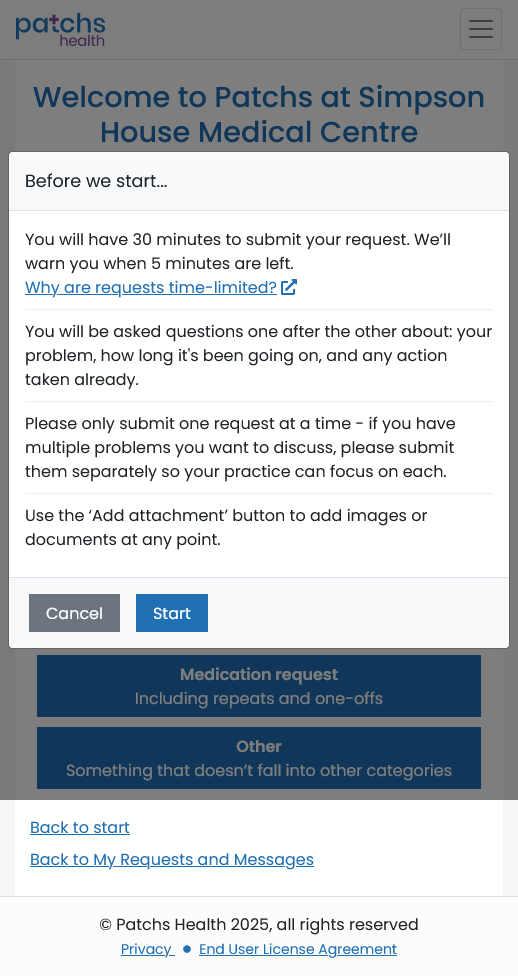
Before you start entering the details of your health problem, you will see a pop-up box, with information about the questions you will be asked and to remind you that, to avoid delays and confusion, you should only submit a single health issue per request.
The important thing to note is that you will only have 30 minutes to complete the session process. This sounds like a long time, but if you have difficulty describing your symptoms in a clear and concise way and need to amend your entries several times, this time can go very quickly.
Tip: If you find it difficult to put your thoughts down clearly, you can prepare beforehand by writing down your symptoms, how long you've had them and anything you have tried or been advised to do to reduce them, using a text editor such as Notepad, OneNote or even Word. That way, you can take as long as you like and then simply copy and paste the text into the relevant answer boxes during the actual session.
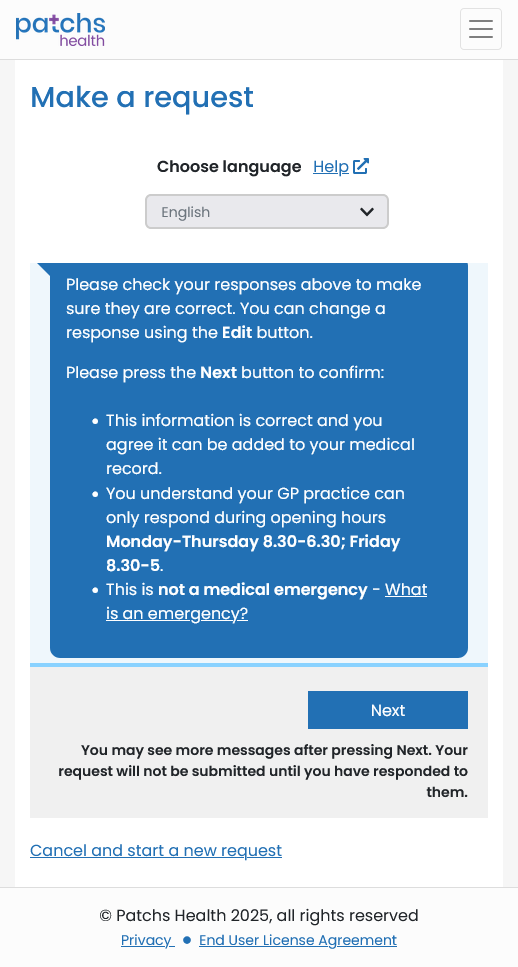
The following screenshots show the sequence of questions you will be asked with hints or suggestions for your responses...
When you are ready, click or tap on "Start"...
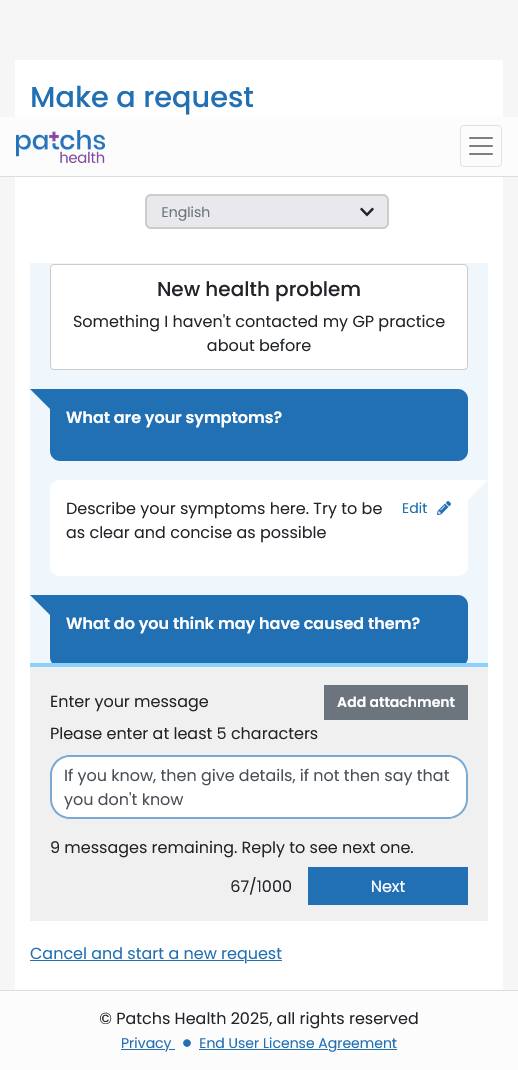
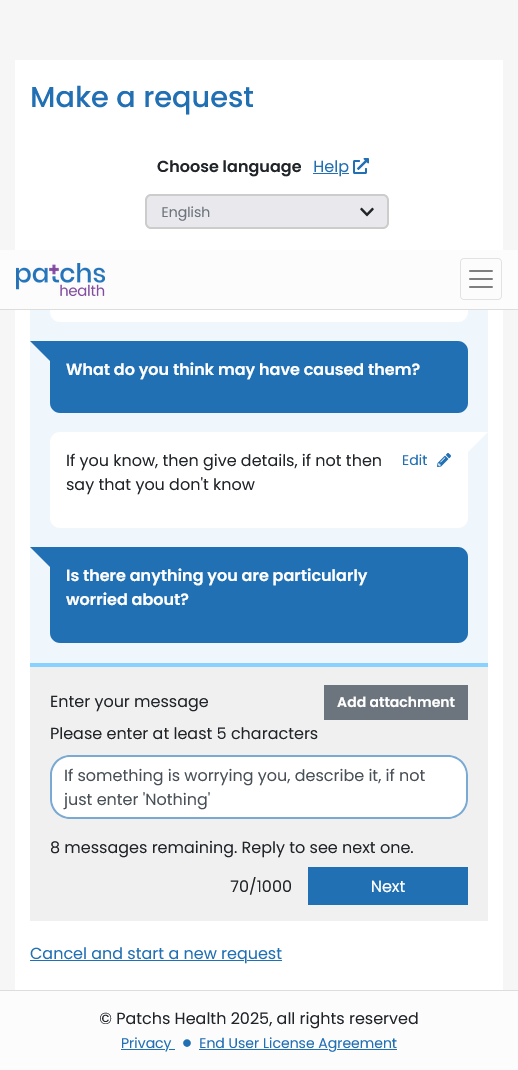
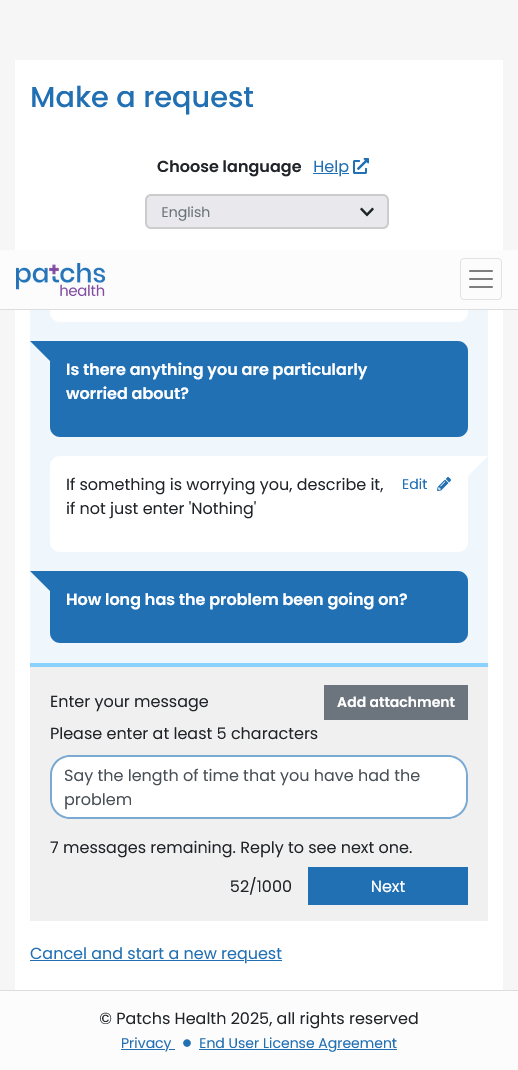
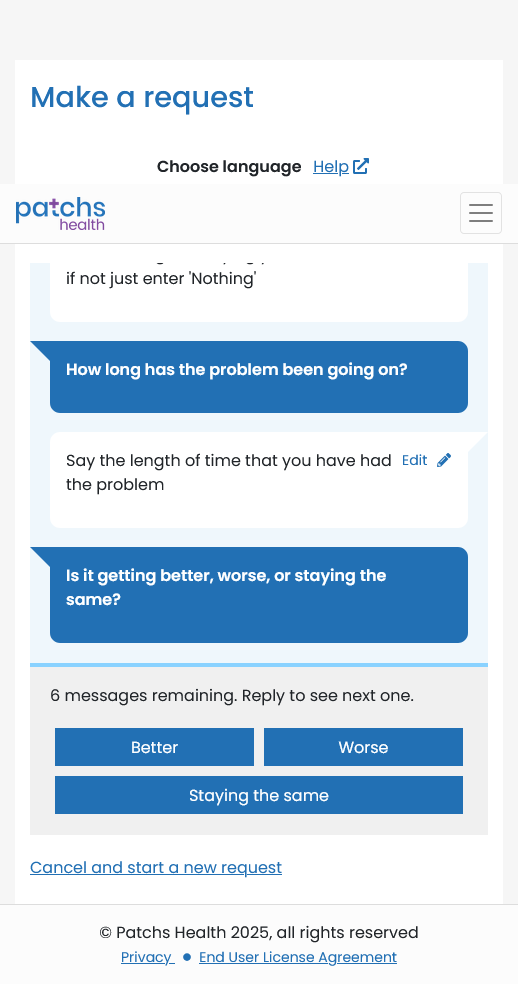
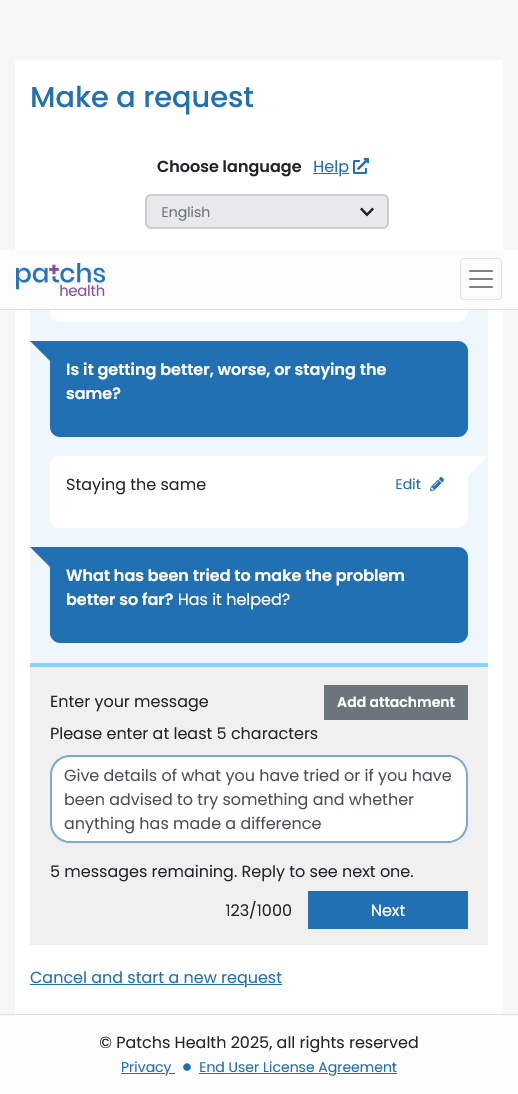
For many of the questions you can add attachments, such as photos, to your responses. This can greatly assist the doctor who will be reviewing your request to determine the appropriate next steps.
Tip: It's a good idea to take any photos and prepare any documents you may want to include in advance, so that you have them ready to attach and upload during the actual session. It all saves time.
You may see additional questions, such as whether you prefer a telephone or face-to-face appointment, whether you would prefer to be attended by a particular doctor or other member of staff and your prefered method of communication (email, text message, phone call, etc.).
You need to answer or "skip" each of them before you can complete your request.
You should carefully review all of your responses to make sure that you have included everything you want to say, plus any attachments, before you finally submit your request.
When you have completed all your answers your request will be submitted. You should see a page confirming that your request has been successfully received. You should also receive a confirmation message or email. After you click/tap on the "Finish" button, you will be asked to rate how easy you found using PATCHs and your GP Surgery. This is optional.